Product Tour
See how Notably turns scattered team notes into one controlled workflow.
Workspaces organize the day-to-day view, templates speed up repeat work, and note-level permissions keep the right people involved at the right level.
Walkthrough
Four moments that show the core product loop
These are live screenshots from the app, linked to the original image assets used on this page.
Step 1
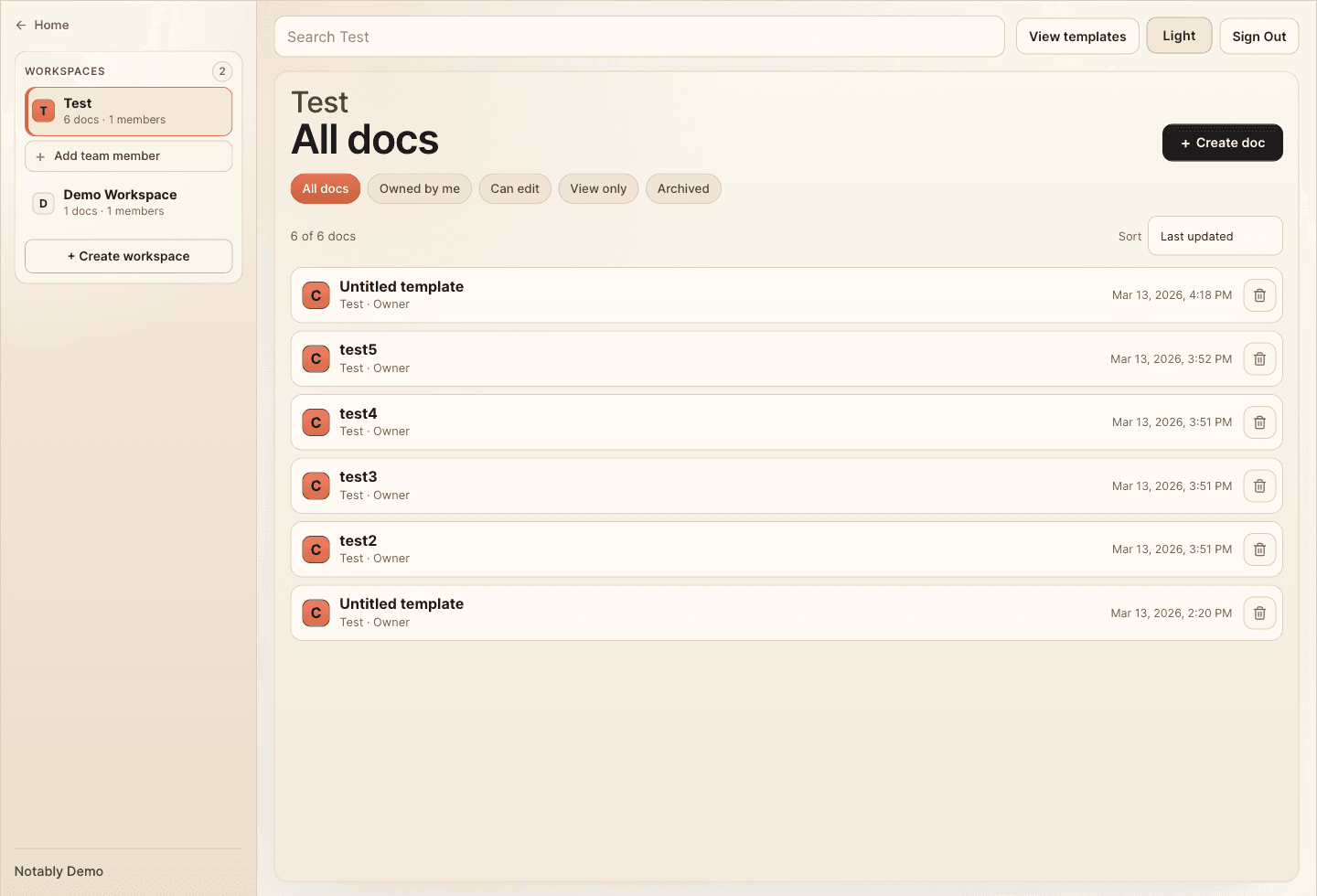
Keep workspaces readable at a glance
Start from a workspace view that keeps docs, filters, archive state, and team context in one place instead of split across tools.
- Search and scan every note from one shared workspace.
- Filter by what you own, can edit, can view, or have archived.
- Keep team actions next to the selected workspace instead of buried in settings.
Step 2
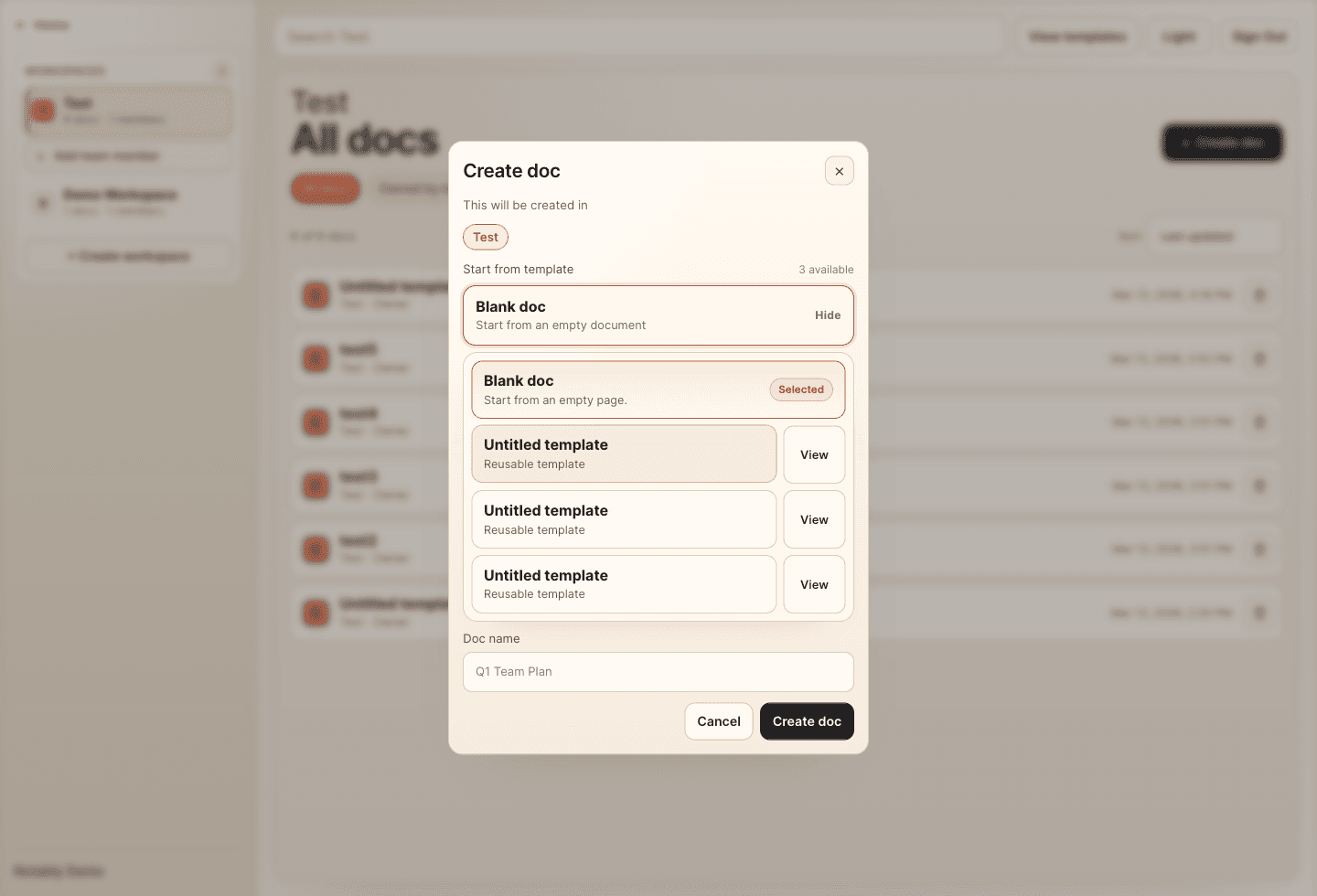
Start new docs from reusable templates
When a team creates a doc, they can pick from saved templates immediately instead of rebuilding the same structure every time.
- Open template choices directly inside create doc.
- Preview reusable structures before committing to one.
- Keep doc creation fast without losing consistency.
Step 3
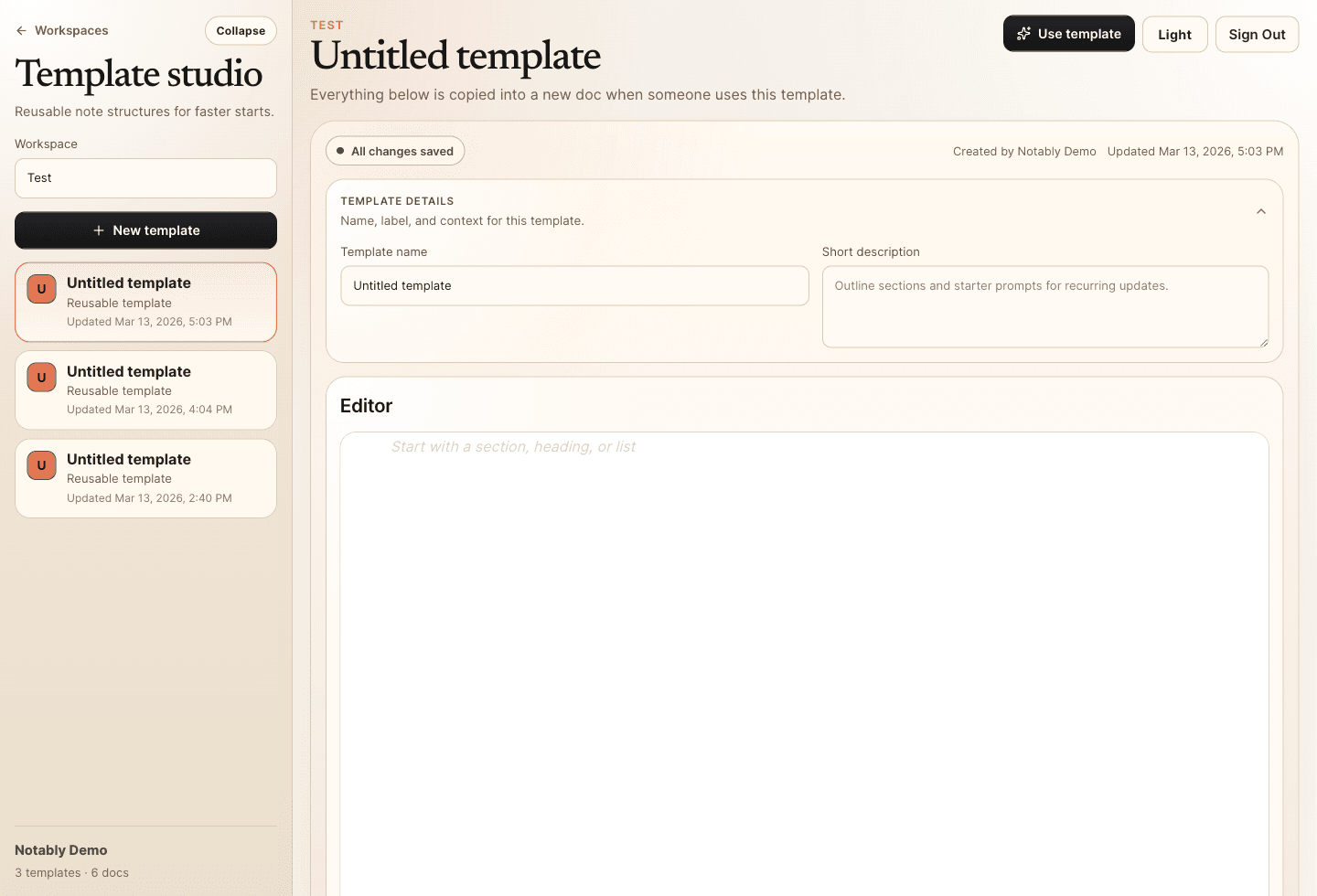
Build repeatable note structures in template studio
Template studio gives teams one place to define recurring note layouts so project updates, client recaps, and weekly plans all start cleanly.
- Manage templates per workspace.
- Edit structure once and reuse it across new docs.
- Keep the template list, metadata, and editor together in one focused space.
Step 4
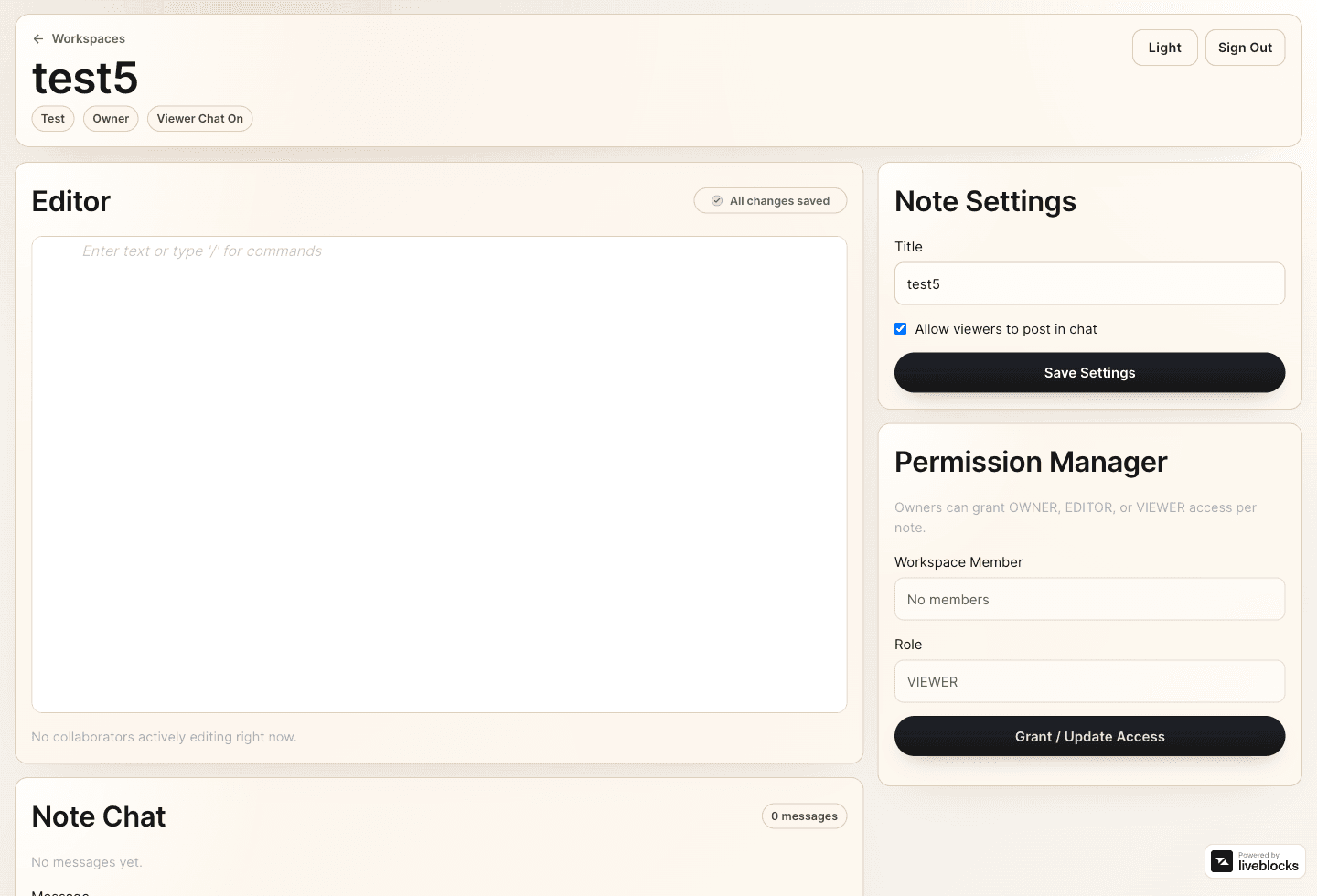
Control access on every note
Each note carries its own settings and permission model, so owners can decide who edits, who views, and whether viewers can join chat.
- Update note-level settings without leaving the editor.
- Grant owner, editor, or viewer access per note.
- Keep collaboration controlled without slowing the team down.
Ready to move from scattered notes to a controlled team workflow?
Notably keeps structure, permissions, and realtime collaboration in one place so teams can move faster without losing trust in the note.